A little more context for your next semester
Compare professors.
Stay in class search.
Professor ratings and student reviews, right alongside the HCC sections you’re already browsing.
For HCC’s internal student enrollment portal. An independent project.
01 / COMPARELess tab switching.
More useful context.
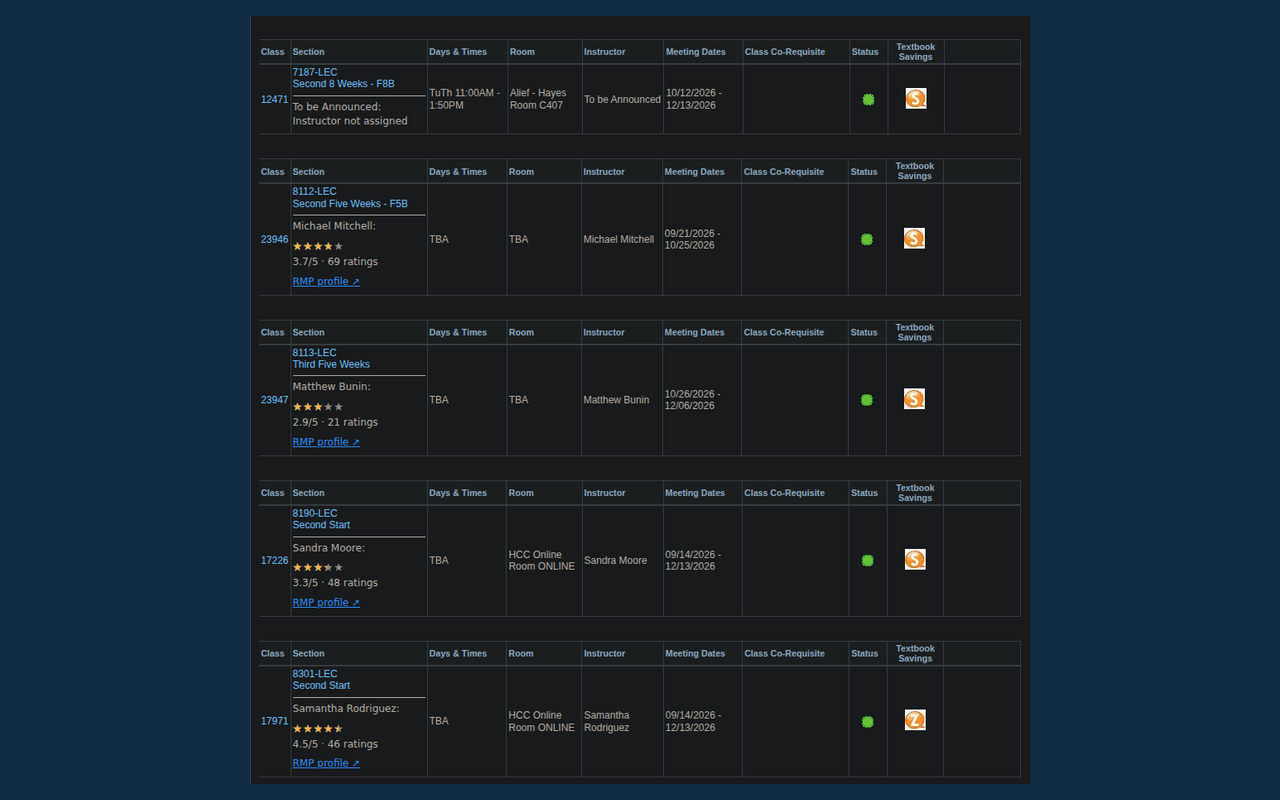
See stars, the exact score, and the number of ratings beneath each section. A profile link makes it easy to check who you’re looking at.
02 / READGo beyond
the stars.
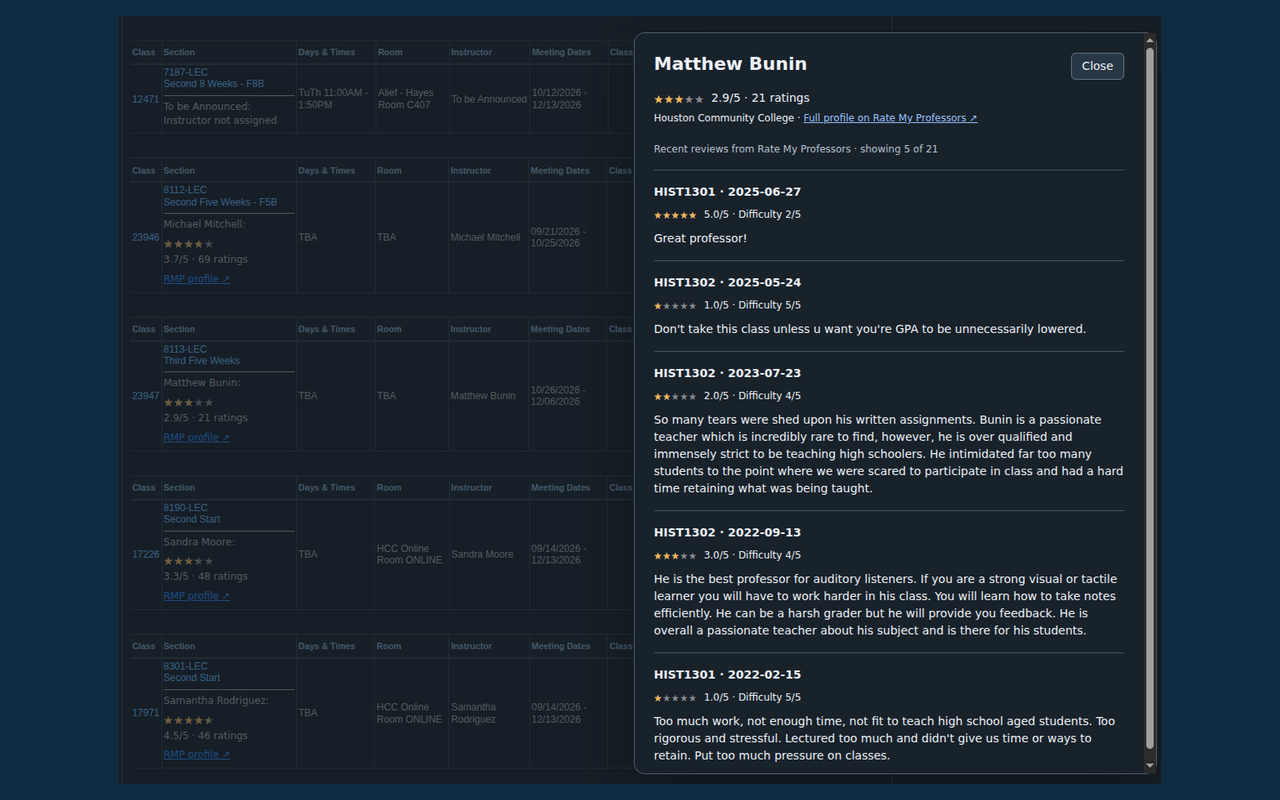
Open reviews on the page, including course names, dates, and difficulty scores. Follow the full profile link for more context on Rate My Professors.
Actual extension screenshots. Ratings reflect when the screenshots were captured.
BUILT FOR CLASS SEARCH
Useful, without getting in the way.
- HCC matches only
- Automatic matching requires a unique matching name at HCC. Uncertain matches stay labeled; you can choose and reset a profile yourself.
- Keeps up with your search
- Ratings are added as class results change. Cached lookups reduce repeat requests, with refresh controls when you need them.
- Your login stays yours
- Sign in to HCC normally. Professor lookup information goes to RMP; your password, student identity, and schedule do not.
GET STARTED / VERSION 0.1.1Ready for your next class search.
Download a local build, then sign into HCC and open class results.
Chrome
Chrome 121 or later · manual installation
Download Chrome ZIP- Extract the ZIP into a folder you’ll keep.
- Open
chrome://extensions and enable Developer mode. - Choose Load unpacked and select the extracted folder.
- Reload your HCC class results page.
Firefox
Firefox 142 or later · unsigned development build
Download Firefox XPI- Save the XPI to your computer.
- Open
about:debugging#/runtime/this-firefox. - Choose Load Temporary Add-on and select the XPI.
- Reload HCC. This installation ends when Firefox restarts.
Chrome’s ratings and original review popup have been tested in the logged-in portal. Manual matching, refresh, and review pagination pass automated tests; their portal checks remain pending. Firefox has passed extension validation but has not been tested live.
Questions or a missing match?
Check the linked professor profile when in doubt. Matching names do not prove identity. RMP availability and changes to the HCC portal can affect results.
Get help or report an issue ↗
 HCC Professor Ratings