




Your boot splash, without the terminal.

A GTK4 / libadwaita app for Linux that shows every installed Plymouth theme with an animated preview, and lets you apply, test, install and remove them in a click. You can also use one of your own pictures as the boot screen.

Free & open source · MIT licence · Python 3.11+ · GTK 4.10+ / libadwaita 1.5+
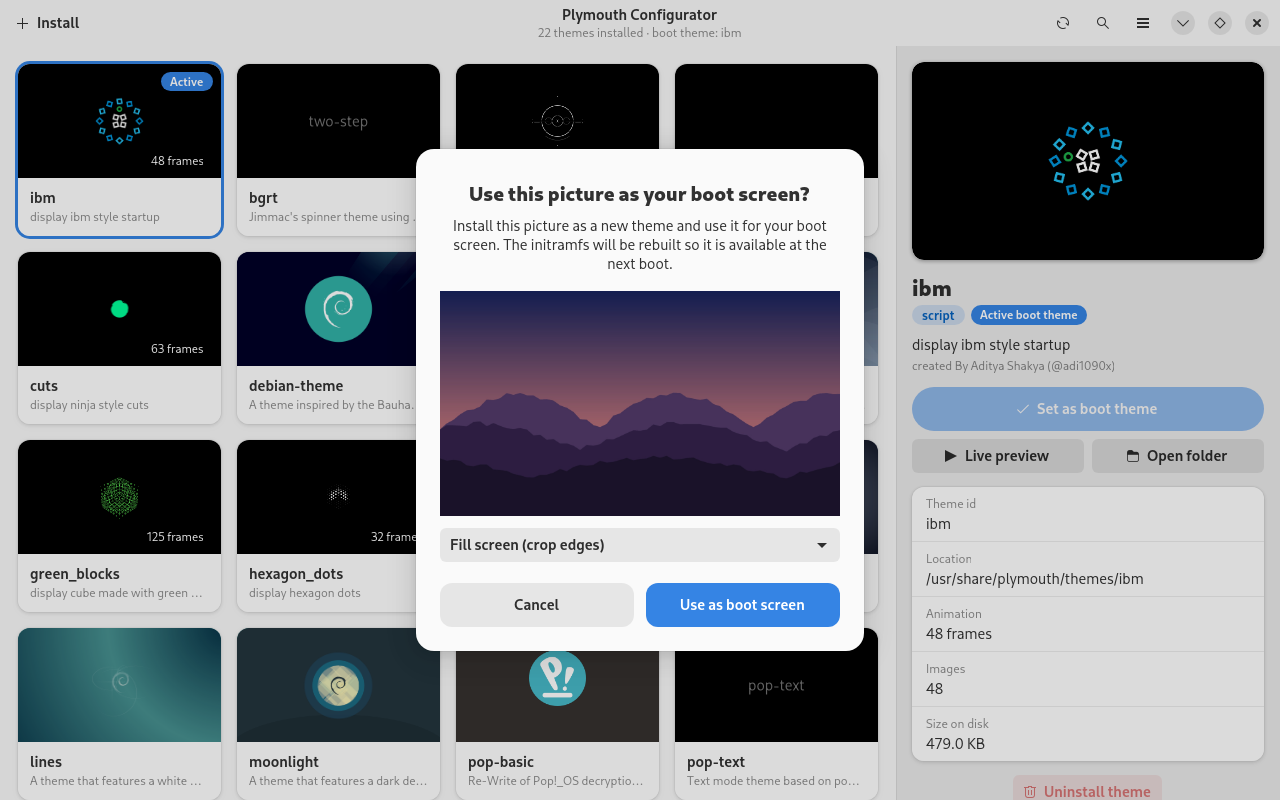
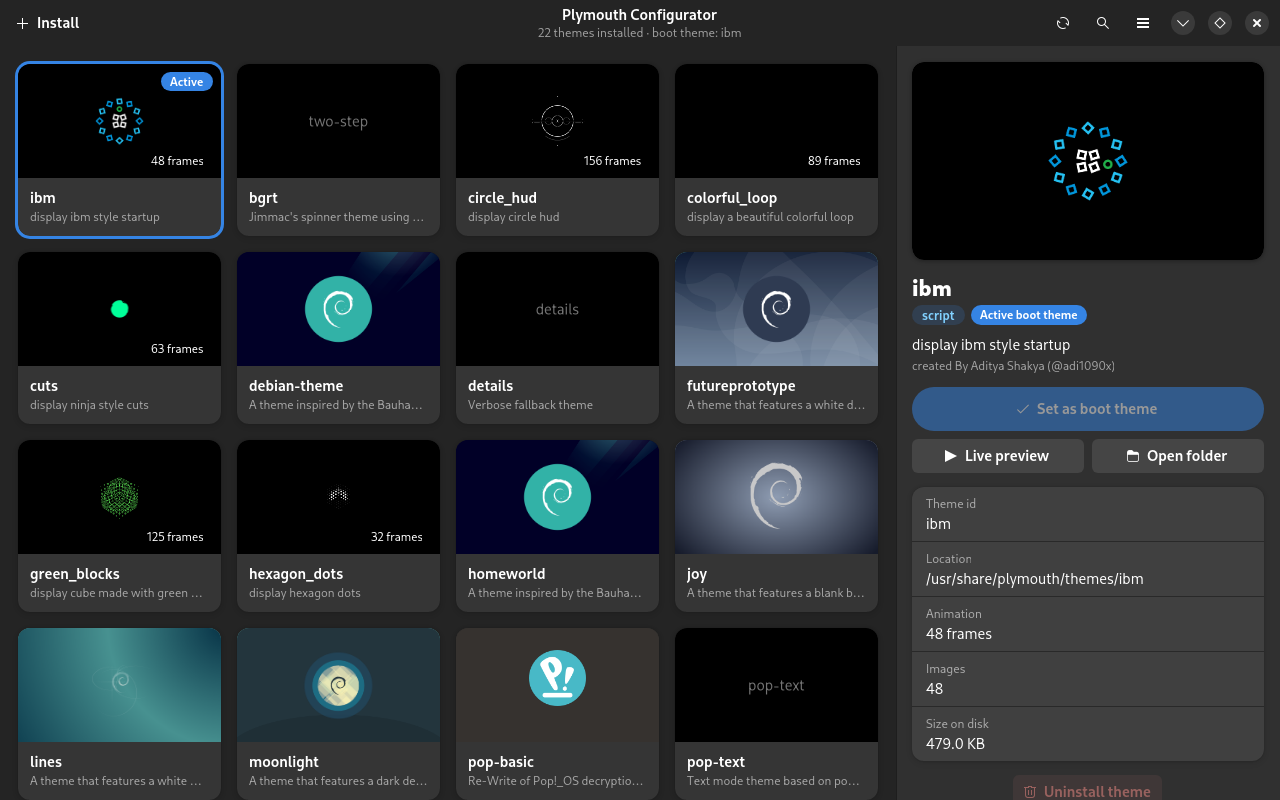
Plymouth Configurator main window: a grid of animated theme previews with a details sidebar Plymouth Configurator main window in dark mode

See the animation before you reboot

Every card is drawn from the theme's own files: its frames, background image and the gradient in its script. Hover a card in the app to play the animation.

ibm theme animation
ibm
colorful_loop theme animation
colorful_loop
circle_hud theme animation
circle_hud
cuts theme animation
cuts
hexagon_dots theme animation
hexagon_dots

Everything Plymouth, in one window

Tasks that normally mean editing config files, copying folders into /usr/share and rebuilding the initramfs are handled by the app.

Browse

A details panel for every theme

Select a card to see its description, author, Plymouth module, install location, frame count and size on disk.

  • Set as boot theme applies it and rebuilds the initramfs.
  • Live preview runs plymouthd on your display for a few seconds.
  • Uninstall removes it. The active theme is protected.
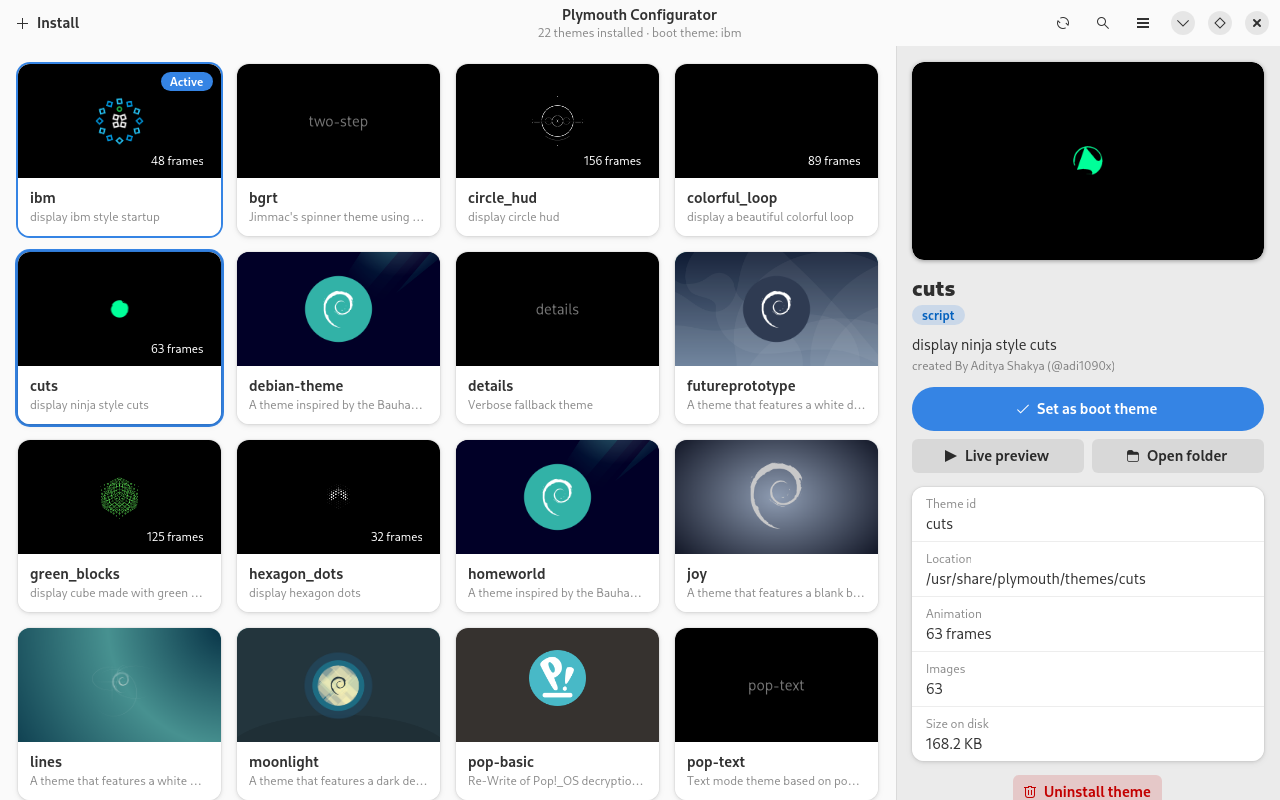
Details sidebar showing the cuts theme with Set as boot theme and Live preview buttons
Personalise

Use a picture as your boot screen

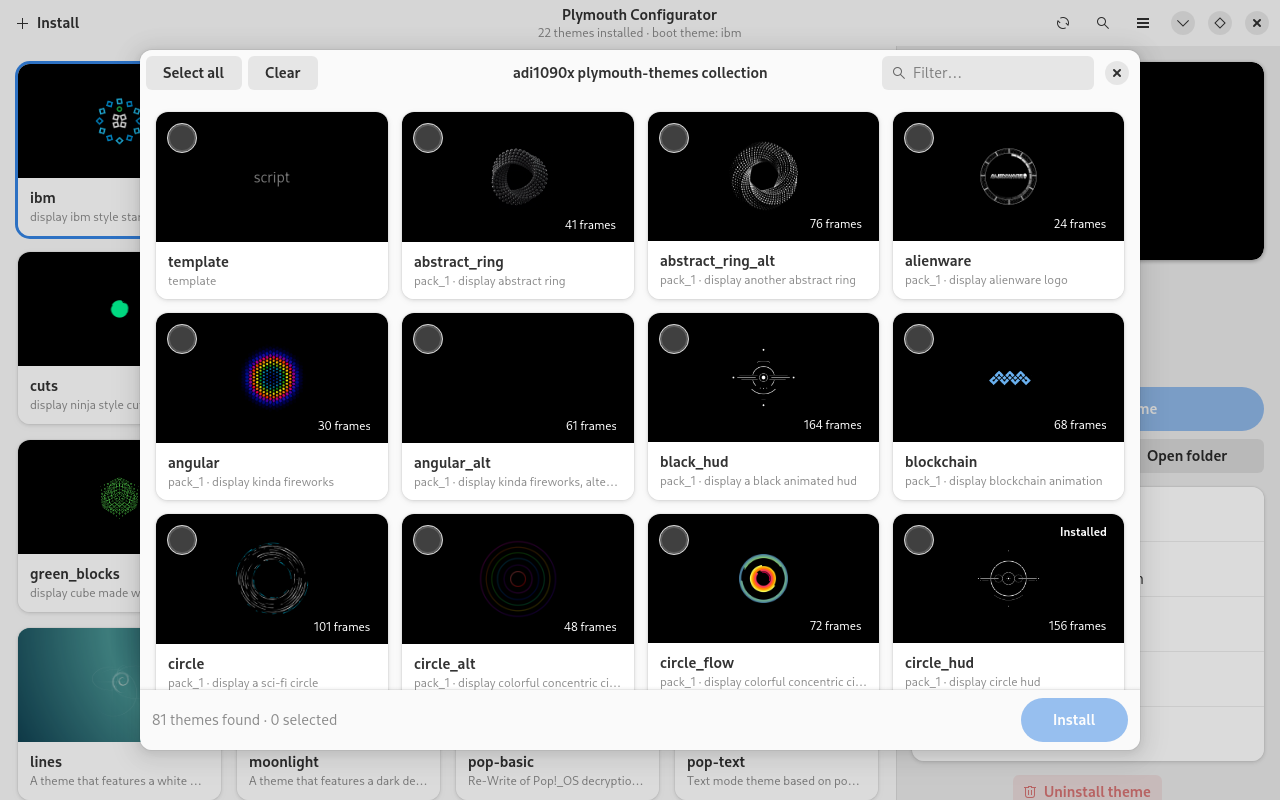
Choose Install → Use a picture… and pick a PNG, JPEG, WebP, BMP or TIFF file. Preview it, choose to fill the screen or fit the whole picture, then apply.

Password prompts, questions and boot messages still appear over the picture on a dark panel.

Dialog asking 'Use this picture as your boot screen?' with a preview of a mountain landscape
Install

80+ themes, one picker

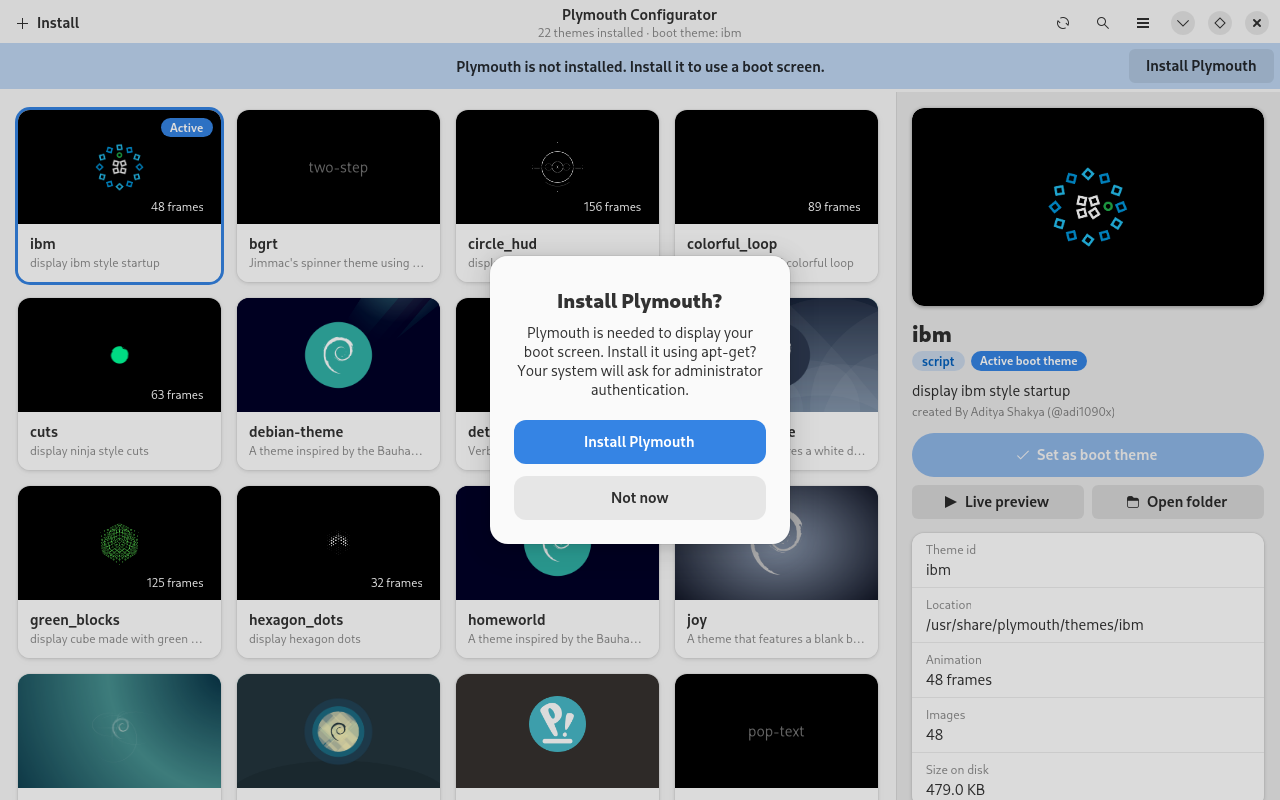
Browse the adi1090x/plymouth-themes collection, or open any theme folder or zip / tar archive. The picker previews every theme it finds so you can install several at once.

You can also drag a folder or archive onto the window. The picker opens with everything already selected.

Theme picker dialog listing themes from the adi1090x collection with checkboxes
Set up

No Plymouth yet? It can install it.

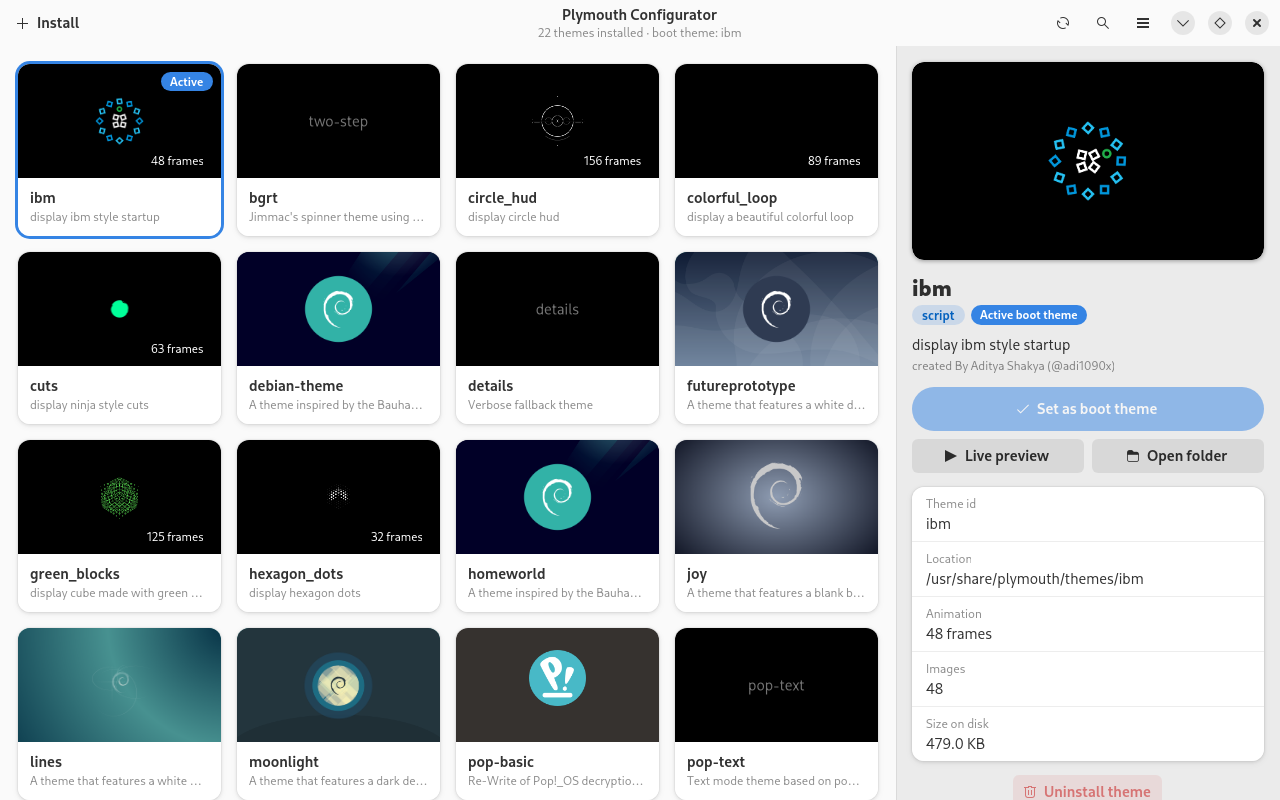
If plymouth or plymouthd is missing, the app offers to install them with your distribution's package manager: APT, DNF/YUM, pacman, Zypper, APK or XBPS.

If that fails, you can choose a trusted local .deb, .rpm or .pkg.tar.* package, or confirm a build from the official upstream source.

Install Plymouth prompt offering to install it with apt-get

Minimal root access

Privileged steps go through a small helper run with pkexec, so you get the normal polkit prompt and nothing else runs as root.

Safe installs

Archive paths are checked, and links and special files are rejected. A failed replacement restores the theme that was there before.

Right initramfs tool

Rebuilds with update-initramfs, mkinitcpio or dracut, whichever your system uses. You can turn the rebuild off in the menu.

Search & shortcuts

Search by name, description or module. Ctrl+F searches, F5 rescans and Ctrl+O installs from a folder.

Adaptive layout

Follows your light or dark style. On narrow windows the sidebar collapses so the app works on small screens.

Scriptable helper

Everything the GUI does as root can also be run by hand with helper.py, which makes it easy to check or automate.

Install

Install the dependencies for your distribution, then run the app from a checkout.

sudo apt install python3-gi gir1.2-gtk-4.0 gir1.2-adw-1 \
  python3-pil plymouth plymouth-x11 policykit-1
git clone https://github.com/anolis/plymouth-configurator.git
cd plymouth-configurator
./plymouth-configurator   # run from the checkout
make install              # optional: launcher + app-menu entry

Requirements

  • Python 3.11+
  • GTK 4.10+ and libadwaita 1.5+ with PyGObject
  • Pillow
  • polkit (pkexec) for privileged actions
  • Plymouth. Live preview also needs plymouth-x11.
  • zstd to import .tar.zst archives
On a system that has never used Plymouth, you may also need to enable it in the initramfs configuration and add splash to the kernel command line. The app does not change bootloader settings.

What happens when you apply a theme

The app runs the same commands you would type yourself.

  1. plymouth-set-default-theme <name> writes Theme=<name> to /etc/plymouth/plymouthd.conf. If the tool is missing, the helper writes the file directly.
  2. update-alternatives: on Debian-based systems, the theme is also registered and selected as default.plymouth.
  3. Initramfs rebuild: the initramfs is regenerated so the new splash is there at the next boot.
# the same actions, by hand
sudo python3 plymouth_configurator/helper.py set-default angular
sudo python3 plymouth_configurator/helper.py install ~/plymouth-themes/pack_1/angular
sudo python3 plymouth_configurator/helper.py preview angular --seconds 15 --display "$DISPLAY"
sudo python3 plymouth_configurator/helper.py rebuild-initrd